Guide · updated September 2026
Best AI photo tools for Vinted sellers.
AI can turn a quick hanger or floor photo into a clean listing photo, or show a garment worn. Here’s what the main tools do and cost — and how to use them without breaking Vinted’s photo rules.
Made by the team behind Fitty, which is one of the tools listed. Facts come from each tool’s own website or pricing page, checked September 2026; where something isn’t published, we say so. Prices change and some vary by region.
First: Vinted’s photo rules
Vinted’s catalog rules say photos must “represent the item as it is - no image editing is allowed” and be taken by you. Vinted rules ↗ Vinted has told the press that AI is fine if the photo stays accurate and isn’t used to mislead. So: real photos first, AI only as an extra, and never an image that changes colour, fit or condition. Depop, eBay and Etsy rules →
Quick picks
- A few listings, no subscription: Fitty — pay per photo, first one free.
- The item on a real person’s photo: Fitty, FASHN or Pincel.
- Lots of photos with generated AI models: Photoroom or Botika.
- Everything in one phone app (Android too): Photoroom.
- Built around Vinted links: Vintedify.
Features compared
“Not stated” means the company doesn’t say on its site.
| Feature | Fitty | Photoroom | Claid.ai | Botika | FASHN | Pincel | Vintedify |
|---|---|---|---|---|---|---|---|
| Clean product photo / background | ✓ | ✓ | ✓ | ✓ | ✓ | Not stated | Not stated |
| Item on a real person’s photo | ✓ | ✕ | ✕ | ✕ | ✓ | ✓ | Not stated |
| Generated AI models | ✕ | ✓ | ✓ | ✓ | ✓ | Not stated | Not stated |
| Phone app | iPhone | ✓ | ✕ | iOS | iOS | ✕ | ✕ |
| No subscription needed | ✓ | ✕ | ✕ | ✕ | ✕ | ✕ | Packs |
| Free to try | 1 free | Trial | 50 credits | Trial | 10 credits | 20 credits | 3 credits |
What a Fitty listing photo looks like
Real Fitty garment shots, unedited. 1 credit each, about 30 seconds.
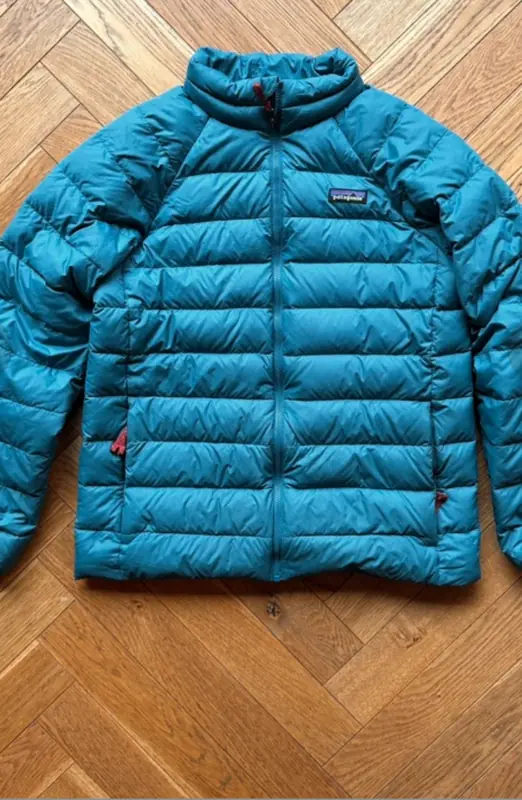 Your photo
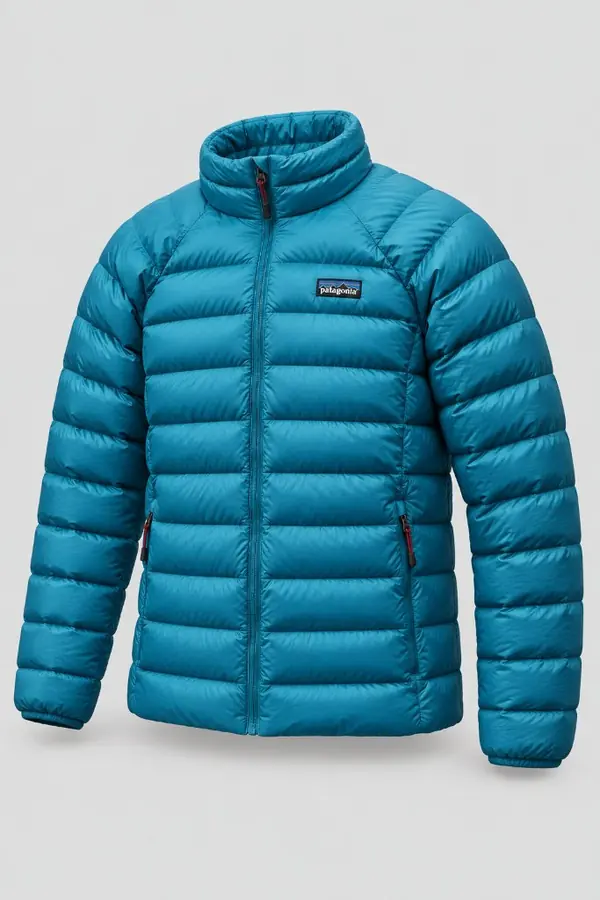 Fitty photo
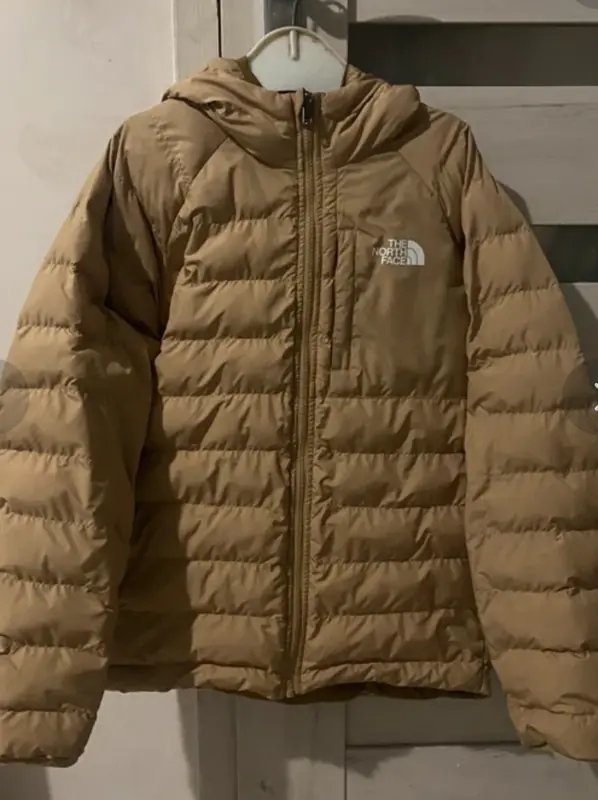 Your photo
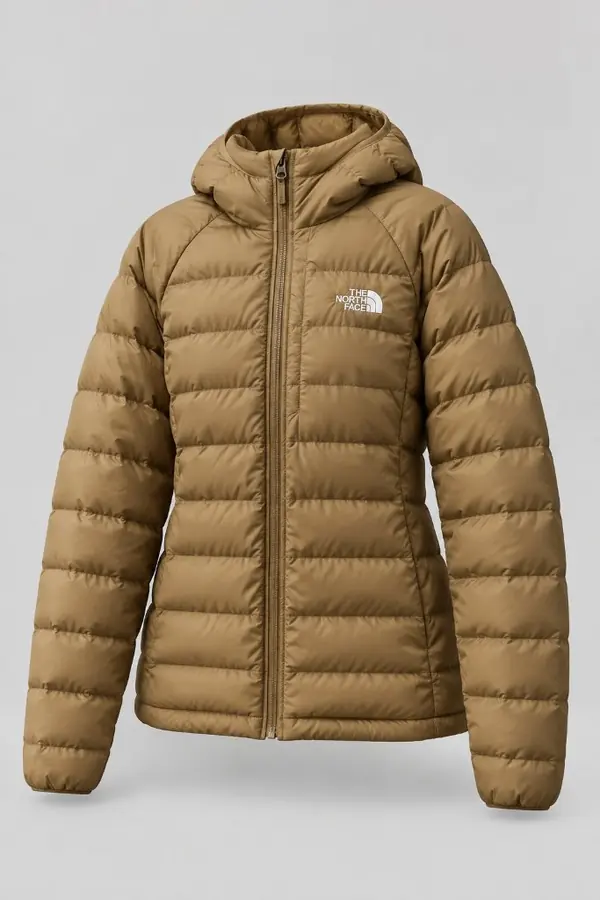 Fitty photo
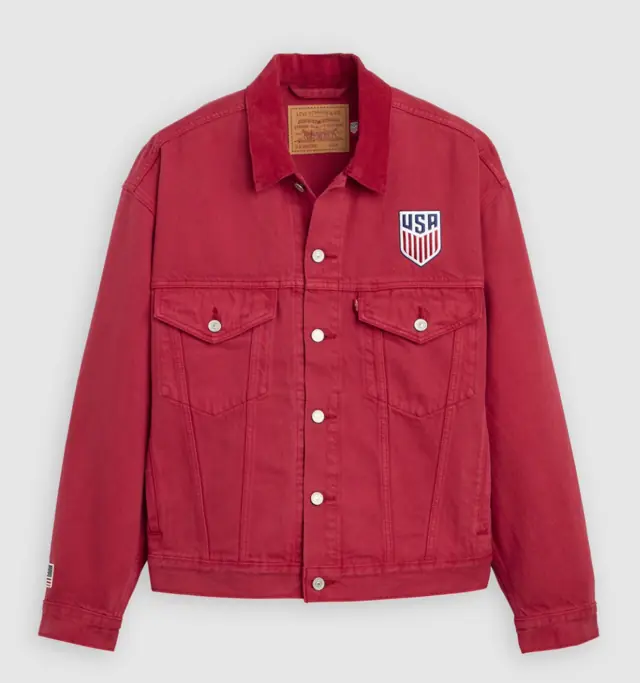 Your photo
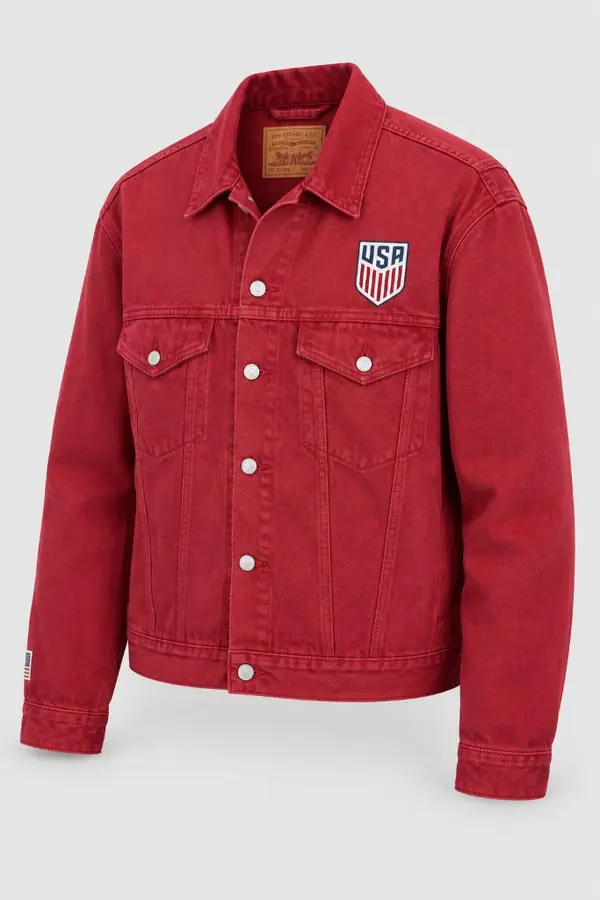 Fitty photo
The tools
Fitty
by Fitty- Platforms
- Web (any browser) + iPhone app
- What it does
- Turns a hanger/bed/floor photo into a clean product photo (item shaped as if worn) on 10 backdrops; several items at once; puts items on a photo of you. iPhone app: catalog photo on your model, 3-pose lookbook.
- Price
- First photo free, then 1 credit per photo — one-time packs from $3.99, $0.31 per photo with 80 credits. No subscription.
- Good at
- Pay per photo with no subscription; works on a real person’s photo
- Keep in mind
- No generated AI models; no Android app (Android works in the browser)
Photoroom
by Photoroom SAS- Platforms
- Web, iOS, Android
- What it does
- Background removal, AI backgrounds, and “AI Fashion Models” from flat-lay or worn photos
- Price
- Free trial; Pro from €9.99/month (less billed yearly) — prices vary by region
- Good at
- Everything in one mobile app
- Keep in mind
- Subscription; fashion models use generated people, not your photo
Claid.ai
by Claid- Platforms
- Web, API
- What it does
- Background removal, upscaling, AI photoshoots and AI fashion images
- Price
- 50 free credits; Essentials $9/month for 500 credits (a fashion image uses 4 credits)
- Good at
- Low entry price and an API
- Keep in mind
- Web only; subscription
Botika
by Botika- Platforms
- Web, iOS, Shopify
- What it does
- Flat-lay, mannequin or model photos in → on-model, flat-lay or mannequin images out
- Price
- Free trial; Pro $55/month ($46/month billed yearly)
- Good at
- Fashion specialist; accepts flat-lay and mannequin photos
- Keep in mind
- Expensive for casual resellers; generated models only
FASHN
by FASHN AI- Platforms
- Web, iOS
- What it does
- Virtual try-on, product-to-model, model swap, backgrounds and video
- Price
- 10 free credits; Basic $19/month for 200 credits
- Good at
- Fine control; works with generated models or your own person photo
- Keep in mind
- A pro tool with monthly plans
Pincel
by Pincel- Platforms
- Web
- What it does
- “Clothes swap”: puts your garment onto a person photo you upload; apparel photoshoots
- Price
- 20 free credits (2 per image); Creator $19/month
- Good at
- Can use a real person photo you supply
- Keep in mind
- A general AI photo app, not made for resale
Vintedify
by Vintedify- Platforms
- Web
- What it does
- Vinted-specific: paste a listing link and it improves the photos
- Price
- 3 free credits, then credit packs or a Pro plan (prices not published on its site)
- Good at
- Built around the Vinted workflow
- Keep in mind
- Small operator; pricing not public
FAQ
Are AI photos allowed on Vinted?
Vinted’s catalog rules say photos must show the item as it is, with no image editing, and be taken by you. Vinted told NOS in August 2026 that AI is allowed if the photo stays accurate and isn’t used to mislead. Safest: your own real photos first, and an AI photo only as an extra.
What is the cheapest AI photo tool for occasional sellers?
For a few listings a month, pay-per-photo beats a subscription. Fitty charges 1 credit per photo with one-time packs from $3.99 and no subscription; Claid, FASHN and Pincel have small free allowances before monthly plans.
Last checked September 2026. Not covered: Pebblely (product backgrounds, not made for clothing) and enterprise-only tools. Fitty is not affiliated with Vinted or any tool listed. Spotted something out of date? Tell us via the support page.