Guide · updated September 2026
Best virtual try-on apps in 2026.
Virtual try-on apps use AI to show clothes on a photo of you before you buy. They split into three kinds: apps that try on items from any store, try-ons built into one store or search engine, and closet apps for clothes you already own. Here’s what each one does, where it works and what it costs.
Made by the team behind Fitty, which is one of the apps listed. Facts come from each product’s own website or app store listing, checked September 2026; where a company doesn’t publish something, we say so. Prices and availability change — check the official page before you buy.
Quick picks
- A whole outfit from different stores in one image: Fitty.
- Swimwear: Fitty (Swim & more mode) — Google Try On excludes swimwear.
- Occasional use without a subscription: Fitty web credits — first try-on free, then packs from $3.99.
- Free, and the item is on Google Shopping: Google Try On (18 countries, not most of Europe).
- Single items from any shop, including on Android: FitRoom (free tier is watermarked) or Fitty in the browser.
- You shop at Zara: Zara Try-On in the Zara app.
- Plan outfits from your own closet: Alta or Acloset.
From the makers of this guide
Why people pick Fitty
- ✓ Whole outfits — top, bottom, outerwear, shoes and accessories in one image
- ✓ Any item from any store — a product photo or a screenshot
- ✓ On your real photo, not an avatar
- ✓ Swimwear too, in Swim & more mode
- ✓ iPhone app and any browser — Android, PC and Mac
- ✓ On the web: first try-on free, then one-time credits — no subscription needed
At a glance
| App | Platforms | Any store? | Price |
|---|---|---|---|
| Fitty | iPhone app + web (any browser, incl. Android, PC, Mac) | Yes | First try-on free · credits from $3.99, no subscription |
| FitRoom | Web, iOS, Android | Yes | Free tier with 10 credits a month (watermarked) |
| DLOOK (formerly Dressy) | iOS | Yes | Weekly and monthly subscriptions (prices not published in the listing) |
| dreamfits | iOS | Yes | 3-day trial, then $6.99/week for 50 outfits |
| YouCam AI Clothes Changer | Web, iOS, Android | Yes | Free credits at sign-up, then paid credits (prices not stated) |
| Google Try On | Google Search and Shopping (web and Google app) | No | Free |
| Zara Try-On | Zara app | No | No price published |
| Alta | iOS, Android | No | Free (earns from affiliate links) |
| Acloset | iOS, Android | No | Free up to 100 closet items |
| Google Photos Wardrobe | Google Photos on Android and iOS | No | Included in Google Photos |
Features compared
“Not stated” means the company doesn’t say on its site or store listing.
| Feature | Fitty | FitRoom | DLOOK | dreamfits | YouCam | Google Try On | Zara Try-On |
|---|---|---|---|---|---|---|---|
| Whole outfit in one image | ✓ | Not stated | Not stated | Not stated | Not stated | ✕ | ✓ |
| Swimwear | ✓ | Not stated | Not stated | Not stated | Not stated | ✕ | Not stated |
| Your real photo (not an avatar) | ✓ | ✓ | ✓ | ✓ | ✓ | ✓ | ✕ |
| Any store / screenshot | ✓ | ✓ | ✓ | ✓ | ✓ | ✕ | ✕ |
| Works on the web | ✓ | ✓ | ✕ | ✕ | ✓ | ✓ | ✕ |
| Android | Browser | ✓ | Not stated | ✕ | ✓ | ✓ | Not stated |
| No subscription needed | ✓ | Free tier | ✕ | ✓ | ✓ | ✓ | Not stated |
| Free result without watermark | ✓ | ✕ | Not stated | Not stated | Not stated | Not stated | Not stated |
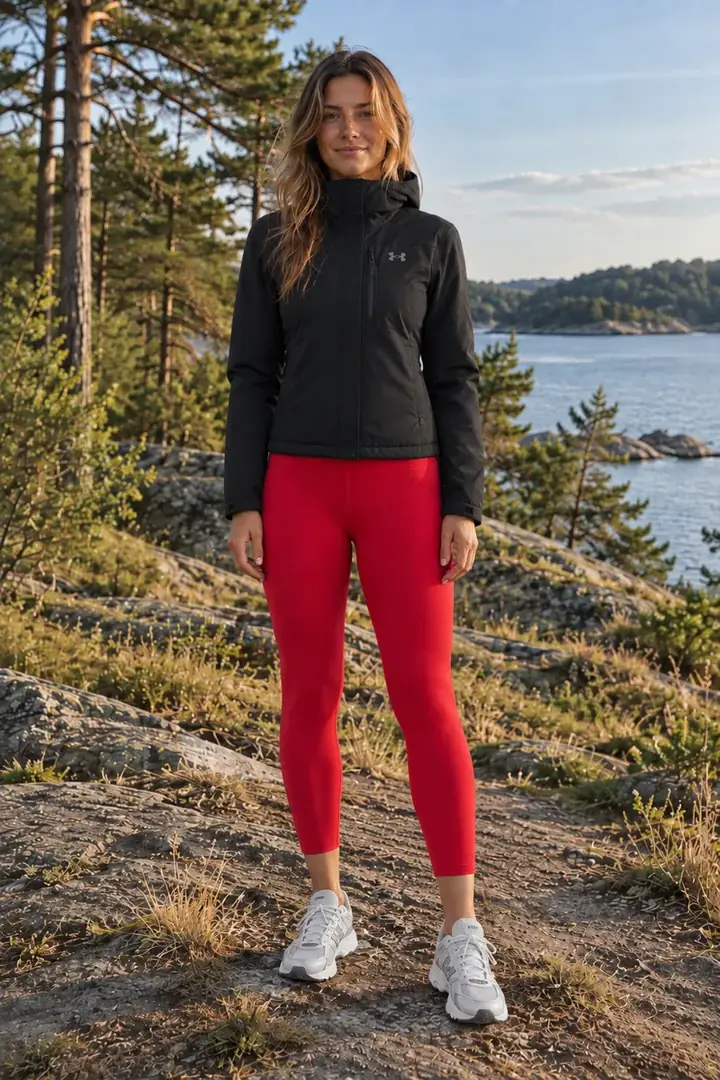
What a Fitty try-on looks like.
Drag the slider to compare. Unedited Fitty output, made in about 30 seconds (swimwear about a minute).







Try on clothes from any store
Upload your photo and any clothing image — a product photo or a screenshot from any shop. Best if you shop across many stores.
Fitty
by Fitty- Platforms
- iPhone app + web (any browser, incl. Android, PC, Mac)
- Available in
- Worldwide (App Store and web)
- What you can try on
- Any item from any store via screenshot or photo; full outfits (top, bottom, outerwear, shoes, accessories); swimwear in Swim & more mode
- Price
- iPhone: free download with 4 free credits, subscriptions from $3.99/week. Web: first try-on free, then credit packs from $3.99 (no subscription). 1 credit = 1 outfit try-on
- Good at
- Whole outfits on your own photo, from any store, on iPhone and in the browser
- Keep in mind
- No native Android app (Android works in the browser); results are AI previews, not exact renders
FitRoom
by SilverAI JSC- Platforms
- Web, iOS, Android
- Available in
- Not stated
- What you can try on
- Any clothing image you upload, on your full-body photo
- Price
- Free tier with 10 credits a month (watermarked); paid plans on its pricing page
- Good at
- Works with any garment image on web and mobile
- Keep in mind
- Free results carry a watermark; also aimed at sellers making product photos
DLOOK (formerly Dressy)
by BlazeTech Ltd- Platforms
- iOS
- Available in
- Not stated
- What you can try on
- A screenshot or photo from any store, on your photo; plus a digital closet
- Price
- Weekly and monthly subscriptions (prices not published in the listing)
- Good at
- Screenshot try-on from any store
- Keep in mind
- Subscription only
dreamfits
by Independent developer- Platforms
- iOS
- Available in
- Not stated
- What you can try on
- Any clothing image, on a selfie
- Price
- 3-day trial, then $6.99/week for 50 outfits; packs of 10 for $14.99 or 50 for $44.99
- Good at
- Clearly published pricing
- Keep in mind
- Relatively expensive per outfit; last updated January 2026
YouCam AI Clothes Changer
by Perfect Corp- Platforms
- Web, iOS, Android
- Available in
- Not stated
- What you can try on
- Your uploaded clothing image, or 50+ preset styles
- Price
- Free credits at sign-up, then paid credits (prices not stated)
- Good at
- From an established photo-app company; works on the web
- Keep in mind
- A general AI photo editor rather than a shopping tool
Try-ons built into a store or search engine
Free and convenient — but you can only try on the items that store or search engine lists.
Google Try On
by Google- Platforms
- Google Search and Shopping (web and Google app)
- Available in
- Argentina, Australia, Brazil, Canada, Chile, Colombia, Hong Kong, India, Indonesia, Japan, Malaysia, Mexico, New Zealand, Philippines, Singapore, South Korea, UK, US
- What you can try on
- Product listings in Google Shopping — tops, bottoms and dresses (no swimwear, lingerie or accessories)
- Price
- Free
- Good at
- Huge catalogue, no app to install
- Keep in mind
- Only items listed on Google (not screenshots); 18+ only; not available in most of Europe
Zara Try-On
by Inditex- Platforms
- Zara app
- Available in
- Zara app markets where the feature has launched (rolled out from December 2025)
- What you can try on
- Zara items only — single pieces or outfits, on an avatar made from your photos, with a 360° view
- Price
- No price published
- Good at
- Moving 360° view of the look
- Keep in mind
- Zara items only, and only in the app
Closet apps with try-on
Built around the clothes you already own — good for planning outfits, less for trying on something new from a shop.
Alta
by Flagship AI- Platforms
- iOS, Android
- Available in
- Not stated
- What you can try on
- Your closet items and Alta’s database, on a virtual avatar of you
- Price
- Free (earns from affiliate links)
- Good at
- Outfit planning for trips and events around your own closet
- Keep in mind
- Uses an avatar rather than your actual photo
Acloset
by Looko Inc.- Platforms
- iOS, Android
- Available in
- Not stated
- What you can try on
- Your closet, wishlist and suggested outfits, on an avatar made from one full-body photo
- Price
- Free up to 100 closet items; paid subscriptions above that
- Good at
- A mature, full-featured digital closet
- Keep in mind
- Try-on centres on your wardrobe, not on shopping screenshots
Google Photos Wardrobe
by Google- Platforms
- Google Photos on Android and iOS
- Available in
- US, India and Brazil
- What you can try on
- Clothes found in your own photo library
- Price
- Included in Google Photos
- Good at
- No setup — it builds your closet from photos you already have
- Keep in mind
- Only clothes you already own and have photographed; three countries
How to choose a virtual try-on app
- Where you shop. Store try-ons only work with that store’s items. If you buy from many shops, pick an app that accepts any photo or screenshot.
- Your photo or an avatar. Some apps put clothes on your real photo; others build an avatar. Your own photo shows the look on you more directly.
- One piece or a whole outfit. Check whether you can combine a top, bottom, shoes and outerwear in one image.
- Swimwear. Many tools refuse swimwear and lingerie. If you need it, check before you pay.
- Pricing model. Weekly subscriptions add up; one-time credits suit occasional use.
- Expectations. Every AI try-on is a preview — a guide to style, not an exact fit or sizing tool.
FAQ
What is the best free virtual try-on app?
Google Try On is free if you live in one of its 18 countries and the item is listed on Google Shopping. For anything else — a screenshot from any store, or if you are in most of Europe — Fitty gives your first try-on free in the browser, with no watermark.
Can I try on clothes from any website?
Yes, with an any-store app such as Fitty, FitRoom, DLOOK or dreamfits: upload a product photo or a screenshot from any shop. Store try-ons like Zara’s and Google Try On only work with their own listings.
What replaced Google Doppl?
Google shut down the Doppl app on 30 April 2026 and moved its try-on into Google Search and Shopping as Google Try On, which works with Google’s product listings in 18 countries. To try on screenshots from any store, use an any-store app such as Fitty.
Discontinued: Google Doppl
Google’s standalone Doppl try-on app shut down on 30 April 2026 and was removed from the App Store and Google Play. Its technology now lives in Google Search and Shopping as Google Try On (above). Google’s notice ↗ · Doppl alternatives
Last checked September 2026. Spotted something out of date? Tell us via the support page.